Aviate 1.3.0
In short
✈️ Aviate 1.3.0
Aviate 1.3.0 brings Samsung Wallet support for Pro, more control over Live Updates, and a batch of fixes for the things you actually use on a travel day.
- Samsung Wallet for Pro: add scanned boarding passes on supported Android devices. Flight details refresh while Pro is active; saved cards stay in your wallet if Pro expires, with updates paused.
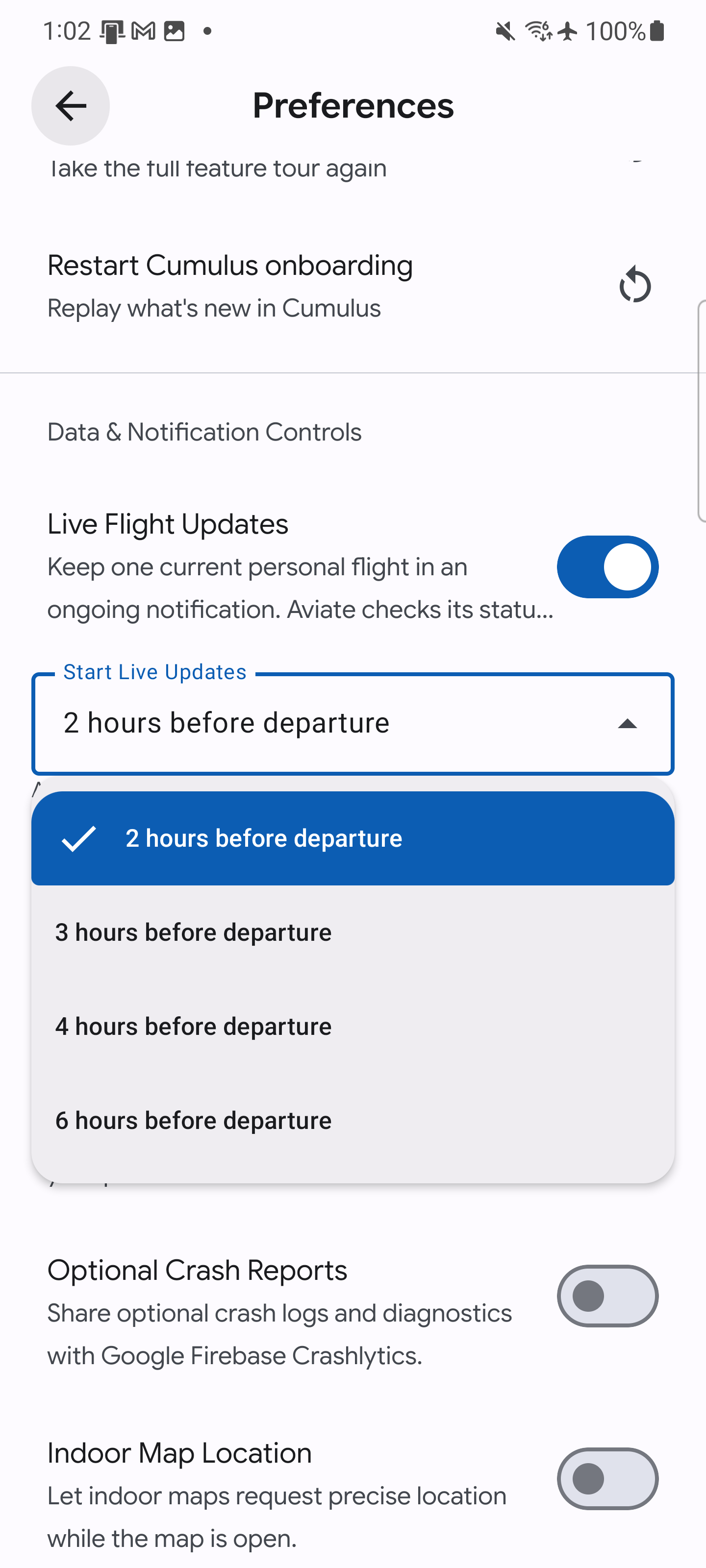
- Live Updates on your schedule: choose 2, 3, 4, or 6 hours before departure in Preferences. Two hours remains the default. Open Aviate during that window to start tracking.
- Your trips, your call: turn off trip suggestions or dissolve a trip while keeping its flights. Unfolded foldables and tablets get separately scrolling map and flight panes, and connections and long stays display more consistently.
- Crew and parking codes: choose Crew for a manually added flight, and keep a parking reservation-code image available offline across the trip's outbound and return legs.
- Boarding passes and history: wider barcode support, family-pass reordering, and large CSV history imports are now available for ALL users!
- A smoother travel day: better next-flight widgets, gate details, search, Android stability, and recovery when a Pro purchase is interrupted. Submitted reports open in full, even after they are closed.
✈️ Aviate 1.3.0
Samsung Wallet is finally part of Aviate. Alongside it, 1.3.0 gives you more control over when flight updates start, how your trips are grouped, and which boarding pass comes first.
Your boarding pass in Samsung Wallet
Aviate Pro can now add scanned boarding passes to Samsung Wallet on supported Galaxy devices. Open the boarding pass's share screen and choose Add to Samsung Wallet.
The option appears on Samsung phones and on Android devices where Samsung Wallet is installed. You still need Samsung Wallet set up to use it. Manually entered flight records do not have an airline boarding-pass barcode to export.
The saved card can receive updated flight details, including gates, times, and delays, while Pro is active. If your Pro access expires, the card stays in your wallet with its last available details. Updates pause until Pro is active again.
This has been a long-requested addition. Having your pass where you already keep the rest of your travel cards should make getting through the airport a little easier.
Live Updates on your schedule
Two hours before departure works for plenty of flights. If you leave for the airport earlier, you can now choose a longer window in Preferences -> Start Live Updates:
- 2 hours before departure (default)
- 3 hours before departure
- 4 hours before departure
- 6 hours before departure
Your trips, your call
Trip suggestions remain on by default, but you can turn them off in Preferences if you prefer to organize everything yourself.
You can also Dissolve Trip from the trip editor to remove the grouping and keep the flights. The confirmation explains that documents, checklists, and parking details attached to that trip are removed with it.
Several fixes make existing trips easier to follow too. Flights now stay in the right order across time zones, long stays are split into the appropriate legs, and diagonal scrolling is less likely to switch you to another leg. Creating a custom trip no longer has the same flicker between screens.
On an unfolded foldable or a tablet, trip details now put the map and trip tools beside the flight list. Each side scrolls separately, so you can work through the flights without losing your place on the other side. The layout follows the available screen width when you fold or unfold the device.
Your parking code, ready at the barrier
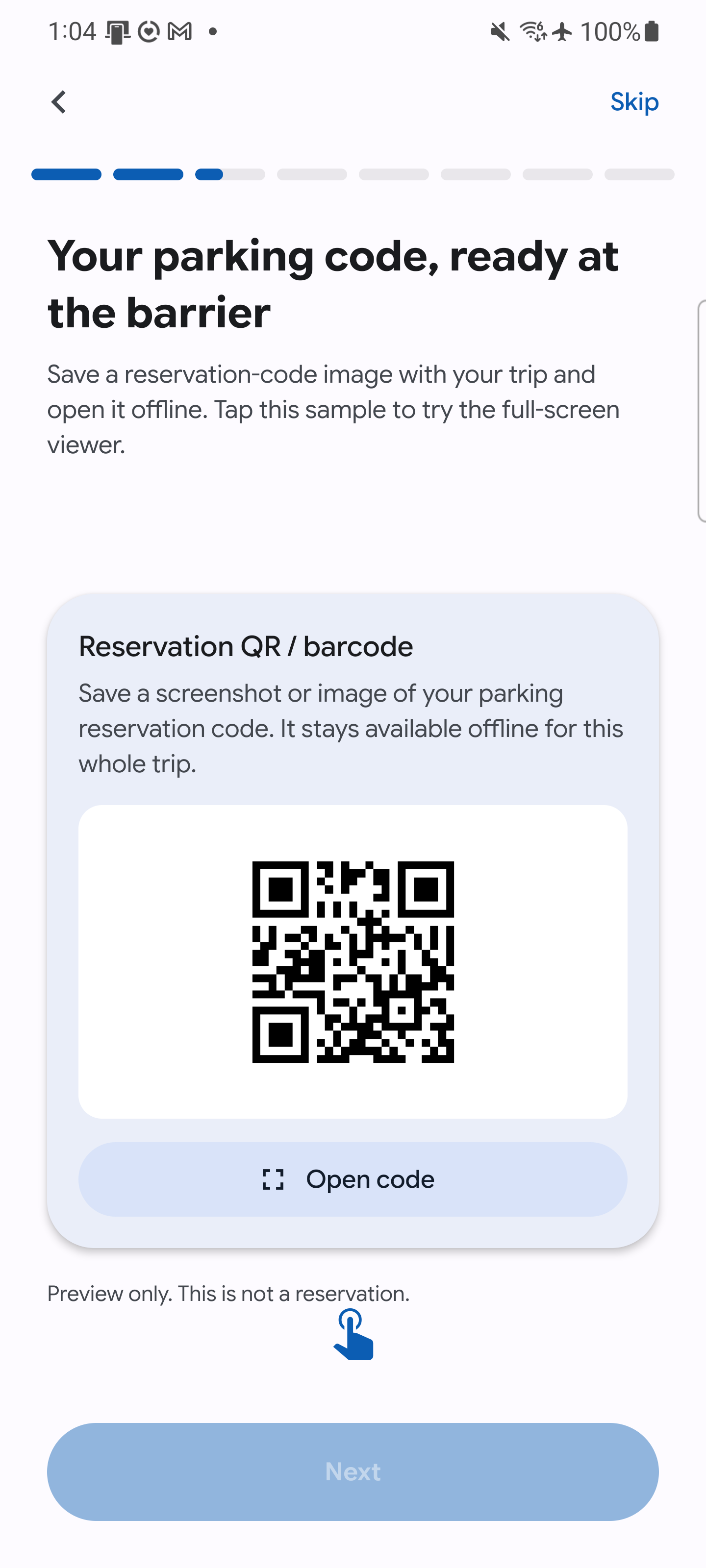
Parking now has a dedicated place for a reservation QR code or barcode image. Save a screenshot or photo alongside your parking notes and booking reference, then tap it to open the image full-screen. Your regular parking photo stays separate, so you can keep both the entry code and a reminder of where you left the car.
The code image is saved on your device and remains available offline. The outbound and return legs of the same trip open the same parking record, so it is still there when you come back.
Better passes and a more accurate history
You can put your own boarding pass first instead of working around the order Aviate picked. Large CSV history imports is now available for Free and now process in smaller batches, so a long travel history is less likely to fail partway through.
History also preserves more of the details that matter later, including Economy Plus, aircraft information, and the airline name associated with an older flight.
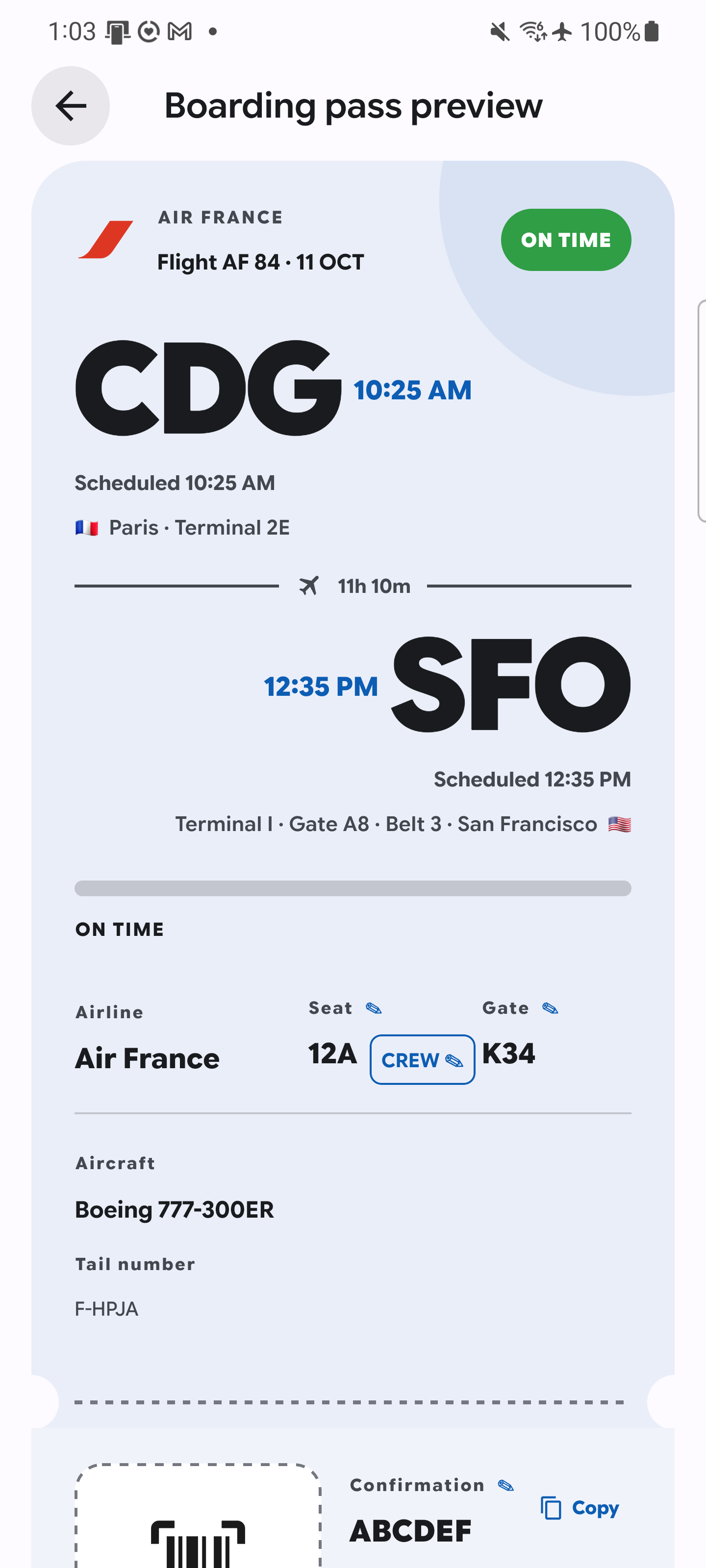
If you are travelling as crew, Crew is now an option for manually added flights. Open that flight's boarding pass, tap its cabin class, and save Crew. It applies to that flight, so your passenger trips keep their own cabin classes.
The fixes you notice when something goes wrong
We have spent a lot of this release working through reports. Some changes are small on paper and very annoying when they are missing:
- Next-flight widgets select the upcoming flight more reliably.
- Gates are easier to find on flight cards and connections, and check-in reminders follow the scheduled departure.
- Edited gates on manual flights remain available offline.
- Flight search avoids repeating unnecessary requests.
- Android fixes address map teardown, display cutouts, and starting the flight-tracking service.
- Interrupted Android Pro purchases are checked again when you return to Aviate, so leaving the app during checkout should not leave a completed purchase waiting indefinitely.
- Submitted reports now open with their full title and text, including after they are closed. You can go back and read what you actually sent.
- Fixed passkeys for some password managers (notably Proton Pass)
Thanks to everyone who sent a report, followed up, or tested a fix.